Product Tour
AuditRadar is a screen that answers one question for a CPA firm: which nonprofits in my state changed something this year that an auditor would want to know about, and which of them are asking for proposals right now. Every number on every screen below is read from the Federal Audit Clearinghouse or an issuer's own page, and links back to it.
The screenshots are the real interface with placeholder organizations and firms in place of names. That is deliberate: FAC data is public, but a tour page is not the place to put a named nonprofit beside the words “opportunity”. No screenshot on this page shows a contact.
What does the opportunity feed show?
It shows one row per organization in your territory, ordered by an opportunity signal, with the audit year and the FAC report each row was read from. A signal is a change we observed between two filed reports — a different firm named on the report, a first year above the single audit threshold, a jump in federal expenditures — never a guess about what the organization intends to do next.
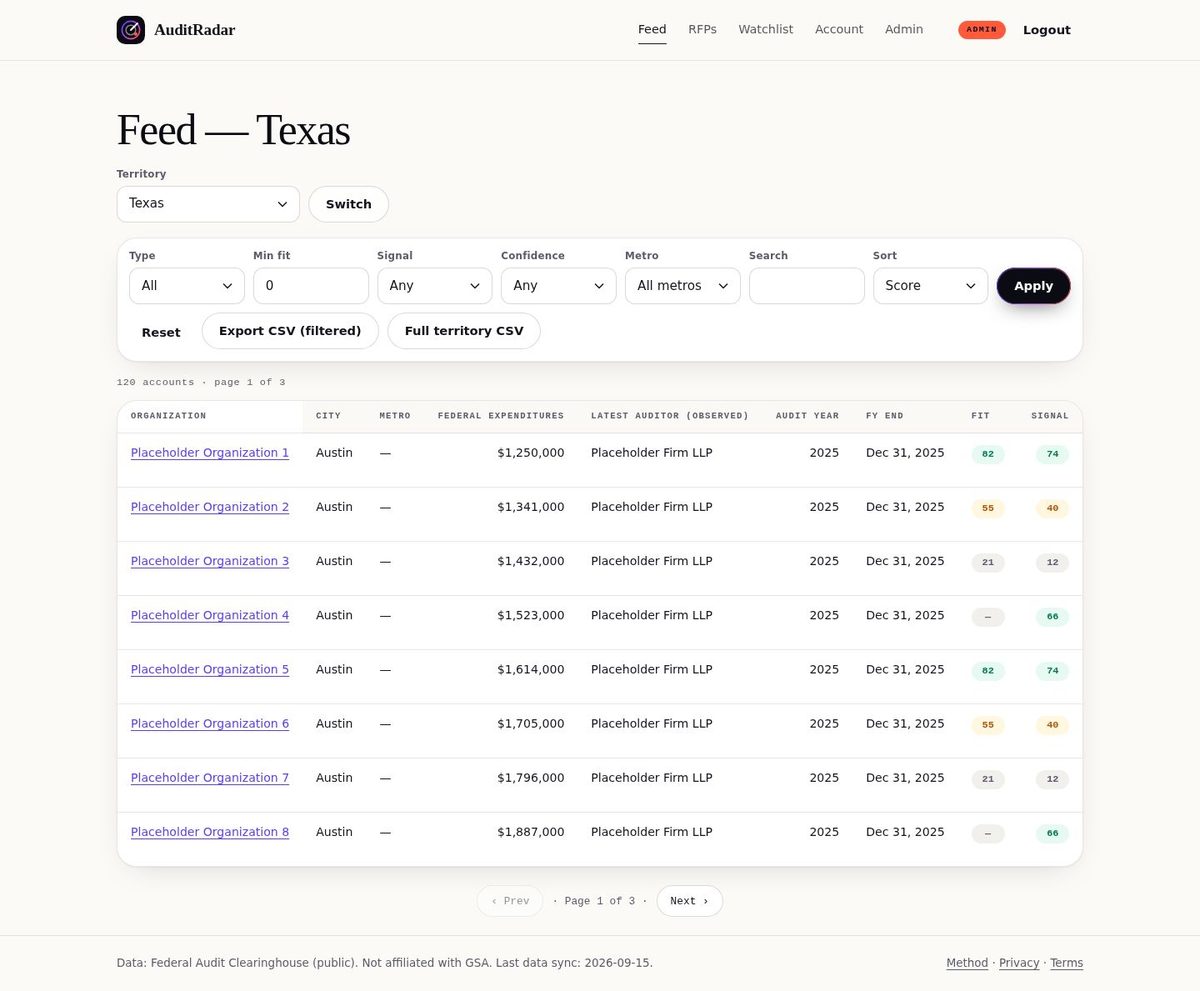
One row per organization, ordered by an opportunity signal you can open and argue with: the score, the signal that produced it, the audit year it came from and a link to the FAC report it was read out of.
What is portfolio reconstruction?
It is the audit history of one organization, rebuilt from every FAC report it has filed: which firm was named on each year's report, what was spent, which threshold applied, and what the findings columns said. It is how you see that the firm on the most recent report is not the firm on the one before it — stated as what the reports show, with the report numbers, and nothing about contracts we cannot see.
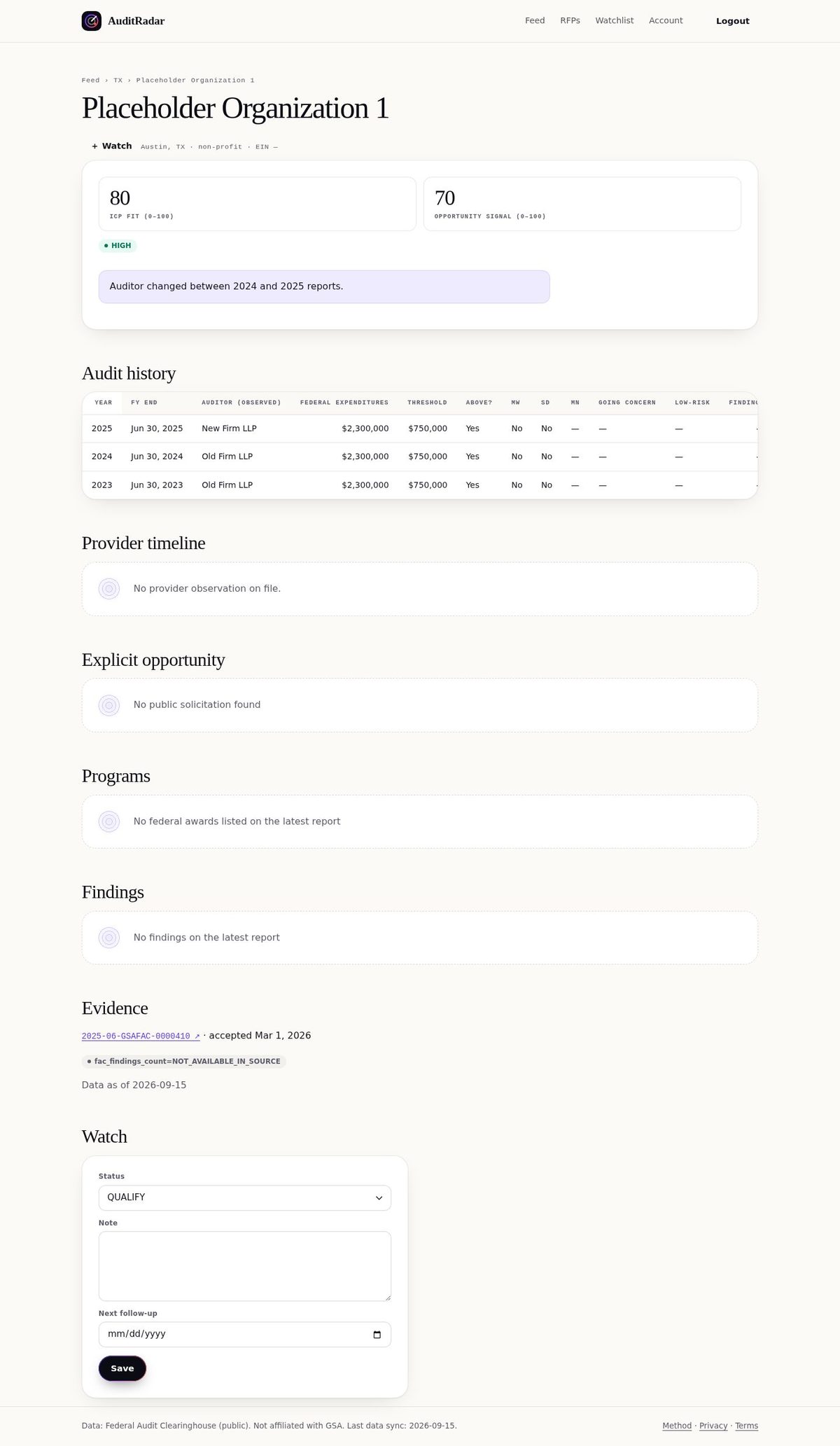
Every audit year we hold for the organization, the firm named on each report, the federal expenditures, the threshold that applied and the findings columns — each linked to the FAC report number it came from, with the date the data was read.
What does a whitespace list look like?
A whitespace list is the inverse of your own portfolio: organizations in your territory whose most recently observed auditor is not you and not a firm you told us to hide. You build it by entering your practice profile — the services you sell, the sizes and sectors you want, the firms whose accounts to leave out — and the feed narrows to what is left.
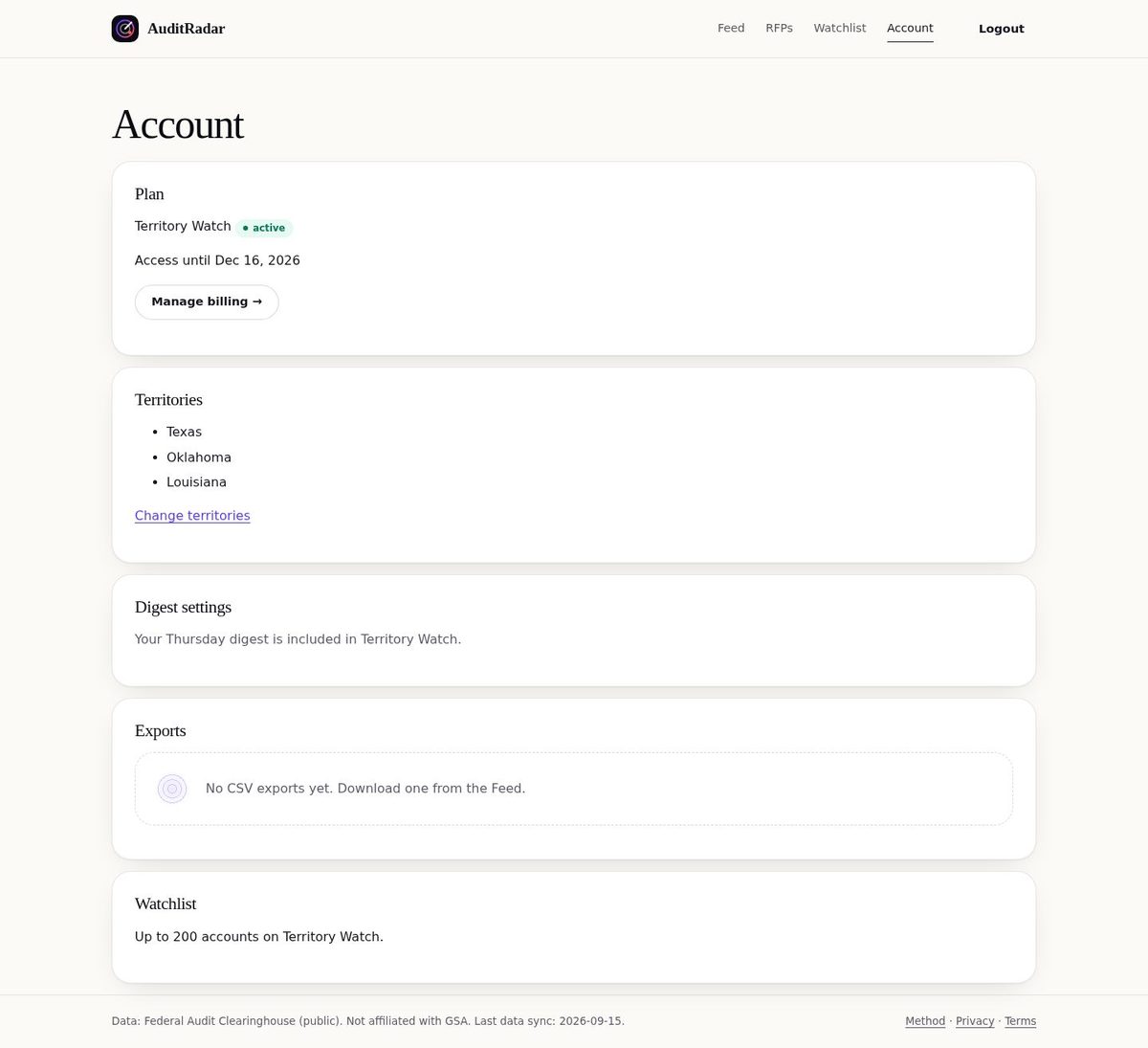
Services, organization sizes and sectors you want, firms to hide, and your own qualifications — licences, peer review, years of nonprofit work — which is what the RFP requirements table compares against.
What is in an alert email?
One mail a day at most, and only about things you asked to follow: solicitations found in your territory since the last one, changes to a solicitation whose issuer is on your watchlist — a deadline that moved, an amendment the issuer posted, a page that no longer shows it as open — and account changes from new FAC filings. Each line says what the source now shows and links to it. If nothing changed, no mail is sent.
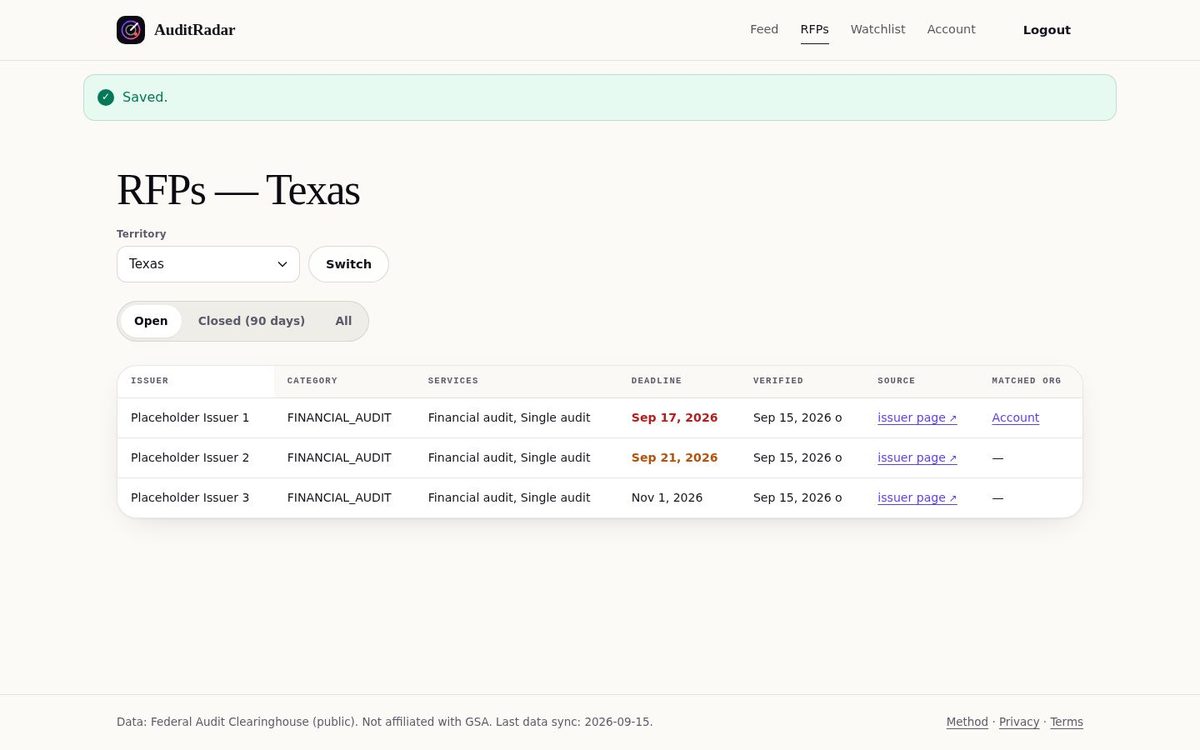
Solicitations found on the issuers' own pages, each carrying the deadline as the issuer wrote it, the date we last checked the page, and a link to that page. A Pro plan adds the requirements table and the proposal checklist.
What does each plan include?
One state as a report you pay for once, or a subscription that adds the feed, the solicitations and the alerts. The requirements table that compares a solicitation against your firm's qualifications, the proposal checklist with its calendar file, and additional seats are on the higher plans.
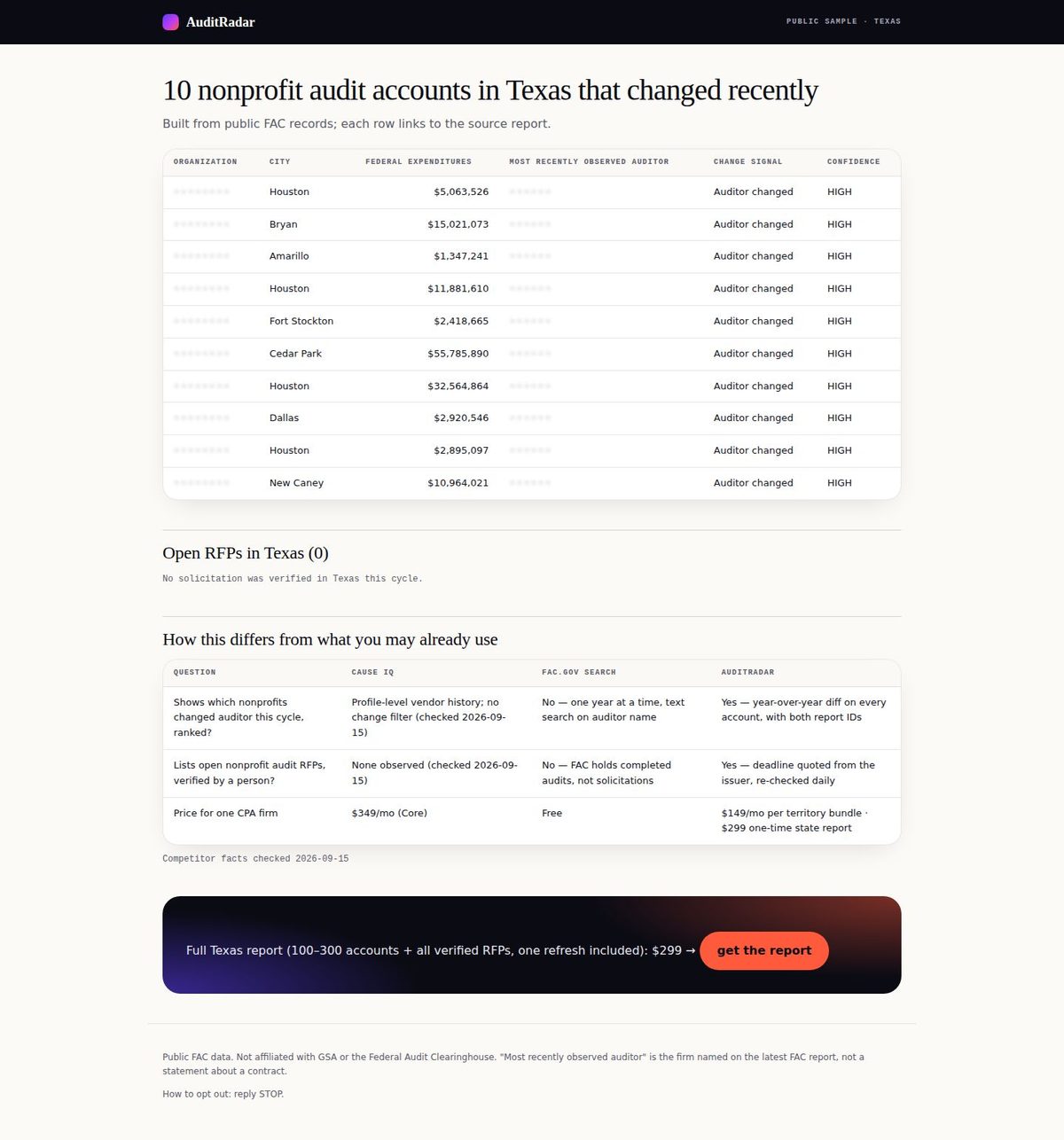
One state, every organization above the single audit threshold, as XLSX, CSV, PDF and a browsable HTML file, plus a data dictionary, with a source link on every row.
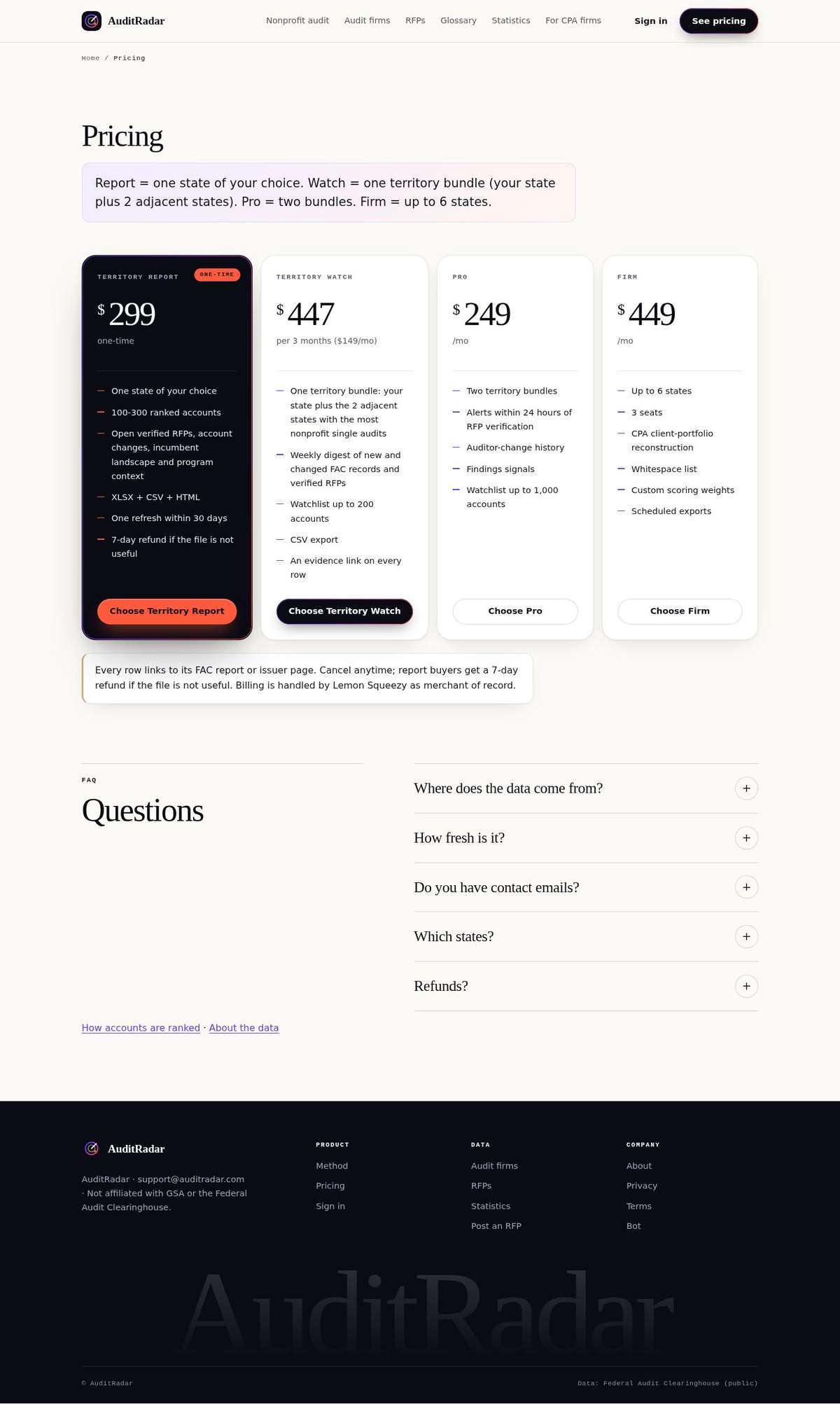
The one-payment report, the subscription that adds the feed and alerts, and the plans that add the requirements table, the proposal checklist and more seats.
See it with your own state's data
The tour is placeholder data. The preview is not: it renders the real rows for the state you pick, with the organization names held back on all but the first.
Related pages
Pricing · How the data is built · How fresh each source is · For CPA firms